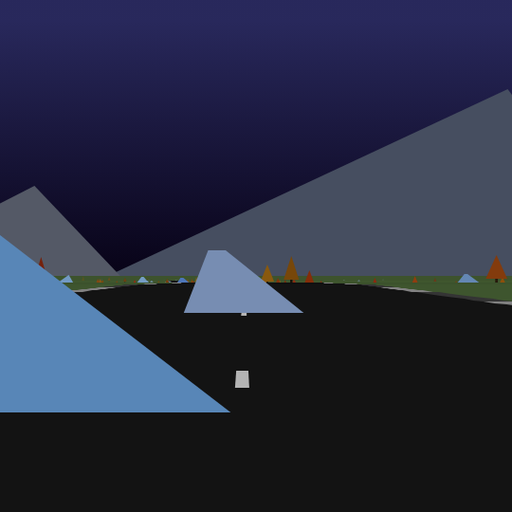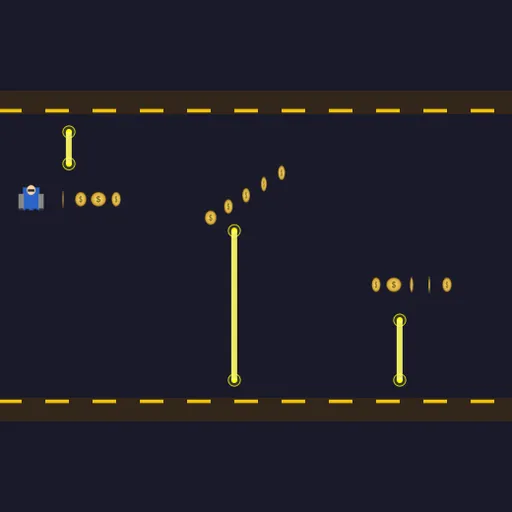
Jetdash is a one-button endless runner by Frank Force, from his LittleJS Arcade, about a jetpack pilot flying down a corridor between a striped floor and ceiling. You hold to rise and release to fall, and that single input has to carry you past every hazard. It is a clean way to practice timing and controlling momentum, and a run can last a few seconds or several minutes.
Flying a run
Press PLAY and your pilot runs along the floor. Hold the button to fire the jetpack and climb; let go and gravity takes over. The screen scrolls at a steady rate while the meter counter climbs.
Three hazards appear. Zappers are glowing beams that hang from the ceiling or rise from the floor. Missiles fly in from the right at the height of the open gap, with a warning about a second before launch. Lasers are fixed to the floor or ceiling and slowly rotate, so the safe zone around them shifts.
Each section has one open gap, often marked with coins in a line, arc or staircase. Sometimes a shield bubble floats there too. Touch a hazard without a shield and the run ends.
Jetdash Controls
| Action | Keyboard | Mouse | Touch |
|---|---|---|---|
| Fire the jetpack (rise) | Hold Space or Up arrow | Hold the left button | Hold a finger anywhere on the game |
| Fall | Release the key | Release the button | Lift your finger |
| Pause | Esc | — | — |
Physics you can feel
Your pilot never moves at a constant vertical speed. Holding the button builds upward speed, and releasing it lets gravity pull you down faster and faster. That is acceleration, the same idea behind a ball thrown in the air. Because you can’t stop instantly, you learn to start a move before you need it.
The rotating lasers add a geometry problem. You have to judge which side of a spinning beam will be clear by the time you arrive.
Staying alive
- Tap rapidly to hover. Small taps hold you level better than long holds and full drops.
- Trust the coins. They sit in the safe gap of each section.
- Move the moment a missile warning appears. Waiting for the missile itself is usually too late.
- Pass a laser on the side it is turning away from.
- When a shield breaks, use the blinking window to reposition rather than to grab coins.
Practical Notes for Players
Sections are built procedurally, so layouts differ every run. The same hold-to-fly control works on keyboard, mouse, gamepad and touch, and on a phone you can hold a finger anywhere on the screen. Your best distance and lifetime coins are stored in the browser.
If you like one-button timing, try Pipe Flapper or Moon Lander.
Tested and updated: