Block Code Duck Pond is a programming battle where your code runs a rubber duck armed with a cannon, a scanner and a pair of webbed feet. Each level puts one rival duck in the pond with you, and your program has to knock its health down to zero. It is worth playing because it quietly turns trigonometry-style thinking about angles and distance into working code, and then moves you from blocks to typed JavaScript.
A battle, step by step
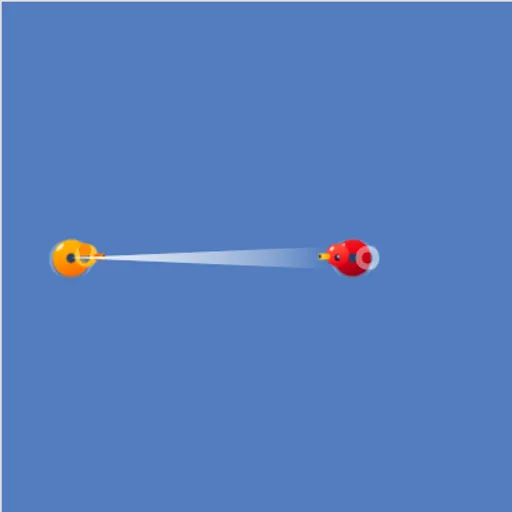
Your duck is orange and starts on the left of the pond. Under the water, two health bars show how much damage each duck can still take. On a block level you drag commands from the Pond and Math categories. On a text level you type the same commands into an editor with line numbers and colored syntax.
Press Run Program and the battle plays out live. Shells arc across the water, health bars drop, and you see right away whether your aim was good. When the rival is out of health, a message shows the JavaScript version of your work.
There are ten levels in five pairs. Each pair repeats one challenge, first in blocks and then in code:
- A duck that sits still and needs one well-aimed shot.
- A tougher duck that needs repeated fire inside a loop.
- A duck that moves, so you have to scan for it.
- A duck too far away for the cannon, so you swim to it.
- Weak-health and fleeing ducks that need careful timing.
Block Code Duck Pond Controls
| Action | Keyboard | Mouse | Touch |
|---|---|---|---|
| Build a program (block levels) | — | Drag blocks from the Pond and Math categories | Drag blocks with your finger |
| Write a program (JavaScript levels) | Type in the code editor | Click in the editor to place the cursor | — |
| Set an angle or a number | Type the number and press Enter | Click the value and type a new one | Tap the value |
| Run or reset the battle | — | Click Run Program, then Reset | Tap Run Program, then Reset |
| Look up the commands | — | Click Documentation | Tap Documentation |
The thinking behind the code
Every command takes an angle measured from the right-hand side, going counterclockwise. That is the same system used for angles on a coordinate plane in math class. When you work out that a target up and to the left is at about 135 degrees, you are practicing real geometry.
The scan command returns the distance to the nearest duck in a given direction. Feeding that number straight into the cannon’s range is your first taste of using one function’s output as another function’s input. A while (true) loop then keeps the attack going, which is how real programs handle tasks that need to repeat until something changes.
Winning strategies
- Sketch the pond on paper and mark both ducks before choosing an angle.
- Use
cannon(angle, scan(angle))so the range is always correct, even on a moving target. - Put your attack inside a loop. One shell almost never finishes a duck.
- On the swimming levels, check your position with loc_x and loc_y and stop when you are in range.
- Watch your own health bar, not only the enemy’s.
Where to go next
If you like seeing code turn into motion, the earlier Block Code Maze is a gentler start with no angles at all. For a tougher JavaScript challenge with no blocks to lean on, try Elevator Saga.
Tested and updated: