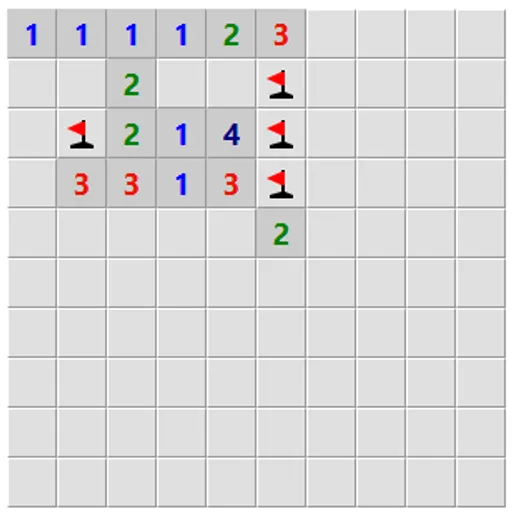
Logic Mines is a mine-clearing puzzle that removes the one thing players hate about the genre: forced luck. A built-in solver decides where mines go while you play. It punishes risky clicks when a safe move was available, and it protects you when there truly was no safe move. In Logic Mines, every loss is a deduction you missed, never bad luck.
How a game works
Each revealed square shows how many of its eight neighbors hold mines. Your goal is to open every square that is not a mine. The first click is always safe.
From there, read the numbers. If they prove a square is empty, open it. If you open a square that only might be empty while a proven safe square exists along the edge of the open area, it becomes a mine and the round ends. If no proven safe square exists anywhere on that edge, any edge square that could be empty will be empty.
After a loss, Undo takes back the fatal click. Presets run from Easy to Expert, and you can set width, height and mine count yourself.
Logic Mines Controls
| Action | Mouse | Touch |
|---|---|---|
| Reveal a square | Left-click | Tap |
| Cycle flag, question mark, blank | Right-click | Press and hold for half a second |
| Open all neighbors of a number whose mines are flagged | Double-click or middle-click the number | — |
| Reveal a square in safe mode | Double-click | — |
| Start a new board | Click "New game" | Tap "New game" |
Why this version sharpens your logic
In a normal mine game, you can sometimes win by guessing. Here that habit gets punished, so you learn to check the whole board before acting. That builds a careful reasoning routine: list what you know, list what follows, and only then move.
The number clues are tiny systems of equations. A 2 next to three covered squares, with a 1 beside it sharing two of them, tells you exactly where a mine is. Spotting those overlaps is the same skill you use when you solve two equations with two unknowns.
Habits of strong players
- Scan the entire edge before any risky click. A safe square elsewhere makes your guess fatal.
- Flag certain mines. Flags let a double-click open all remaining neighbors of a satisfied number.
- Ask the hint button. It says whether safe squares exist, whether you must guess, or whether one of your flags is wrong.
- Try countdown mode. Numbers then show how many unflagged mines remain around them, so many patterns turn into simple zeros.
- Study the markers after a loss. They point to the square you could have proven.
Saving, Devices and Play Time
Safe mode makes opening a square need a double-click, which stops stray taps on small screens. Grids go up to 30 by 30. For more hidden-object deduction, try Black Box Lasers, or count neighbors with Light Up Lamp Puzzle.
Tested and updated: